MacroLab for coaches and dietitians
Your client's food diary, without screenshots
Your client shares access with one link. You see their meals, weight and progress in the browser — nothing to install.
What you get
Everything your client already logs in the app, in one place.
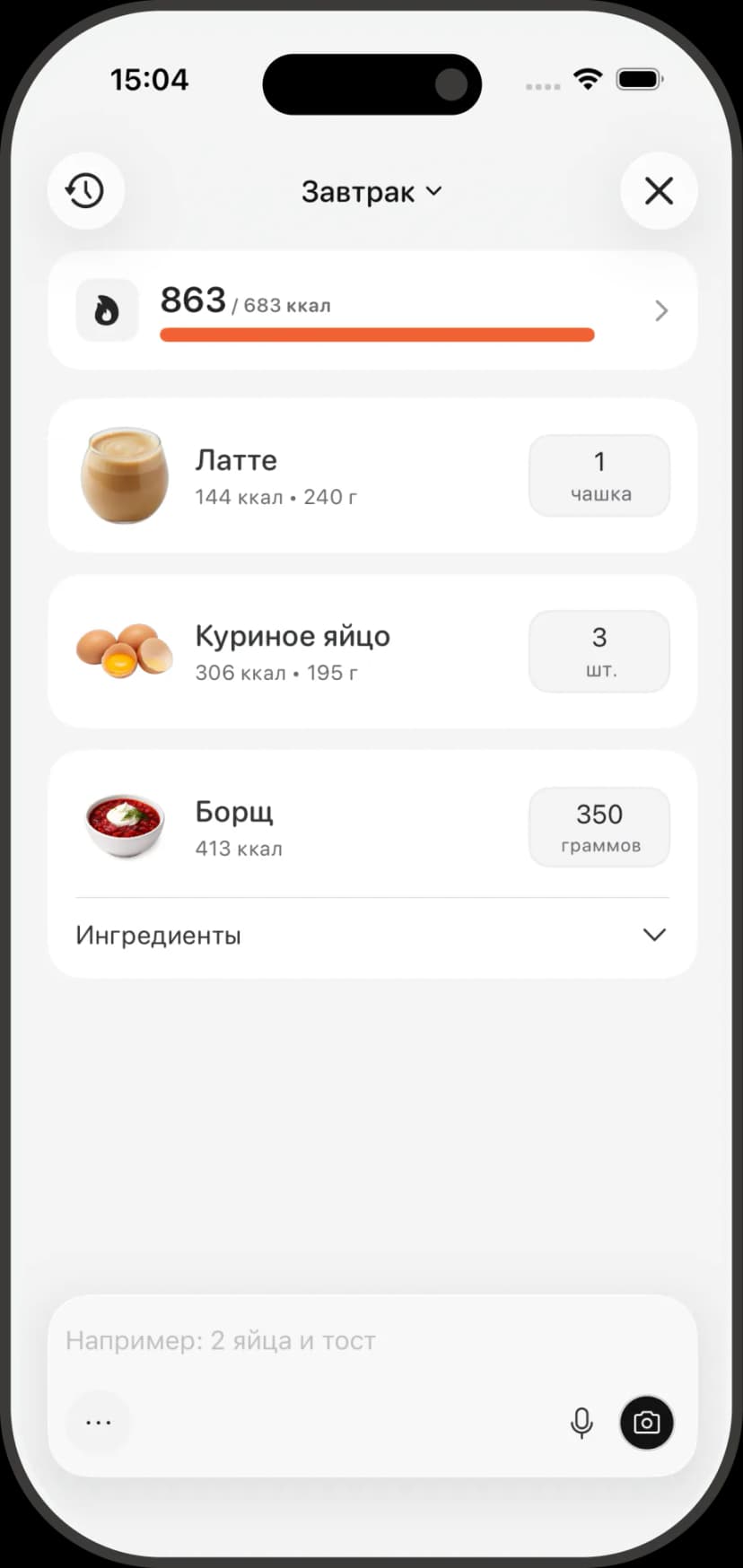
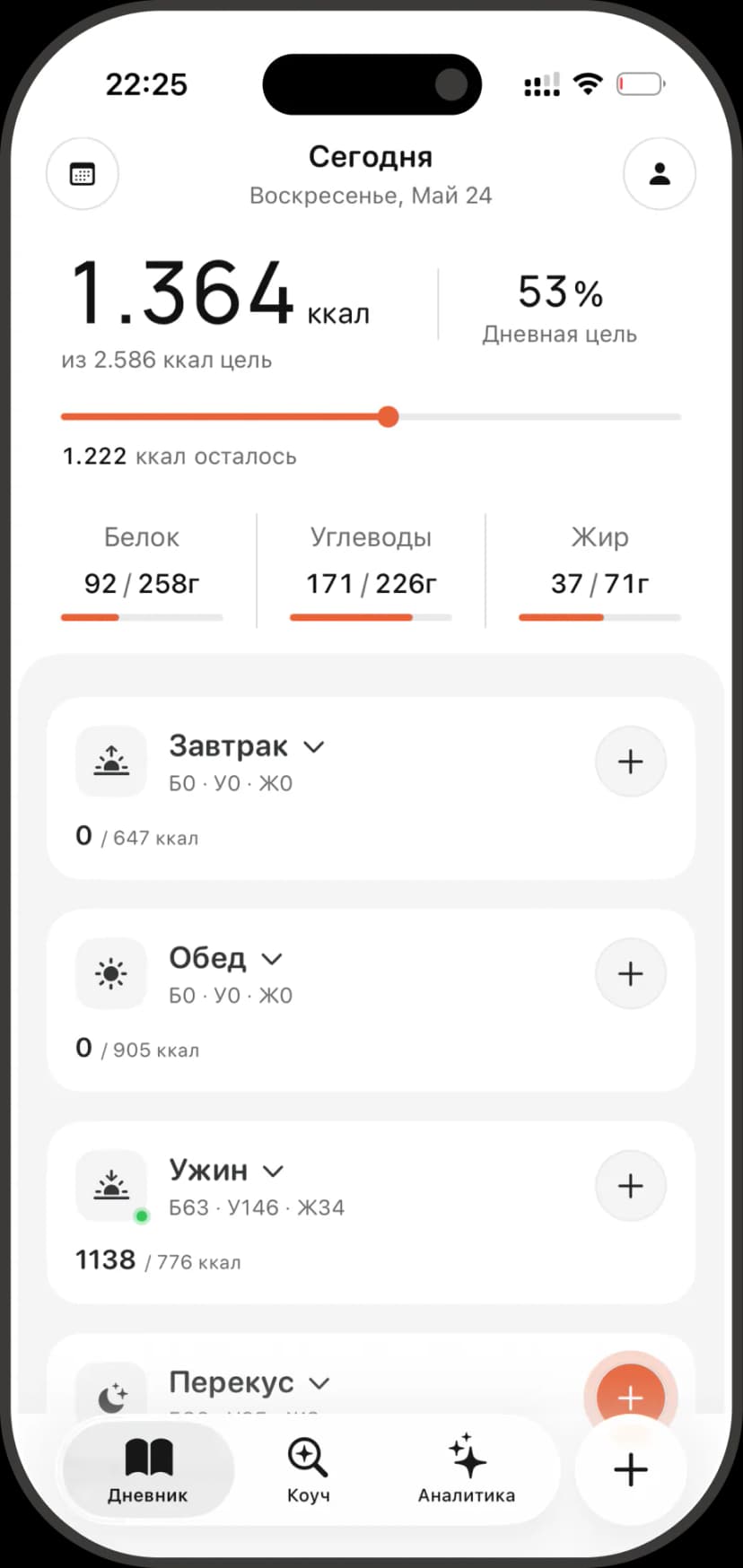
Day-by-day diary
Every meal with its time, calories and macros. Dishes expand into their ingredients, so you can see how the plate was built.
Weight and targets
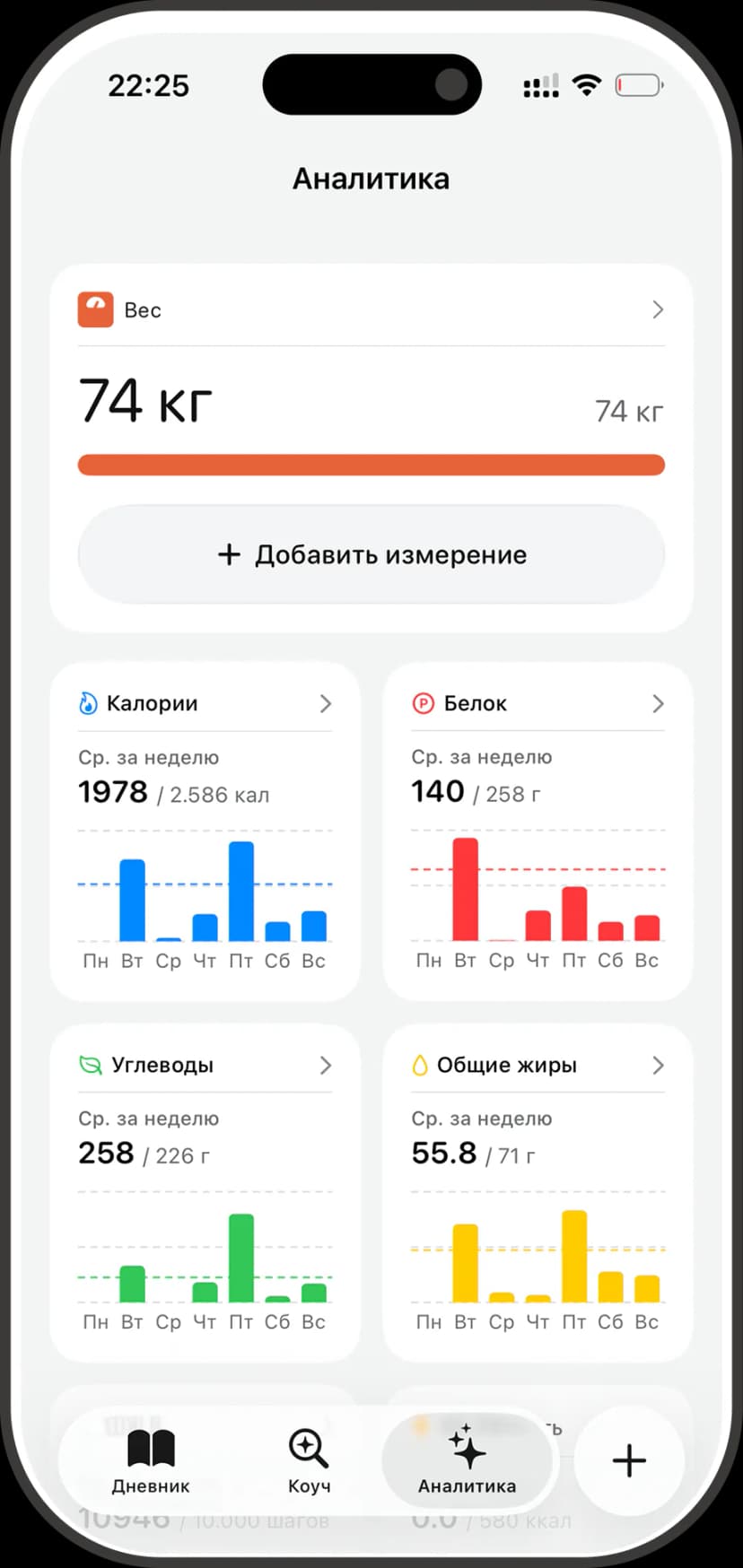
A 90-day weight chart with the average weekly change, next to the calorie and macro targets they are working to.
Meal and progress photos
Meal photos make portions readable, and dated progress photos show the change the scale misses.
Access on their terms
Clients choose what to share and can revoke it at any time. Progress photos are off unless they turn them on.
Your client logs the way they already do
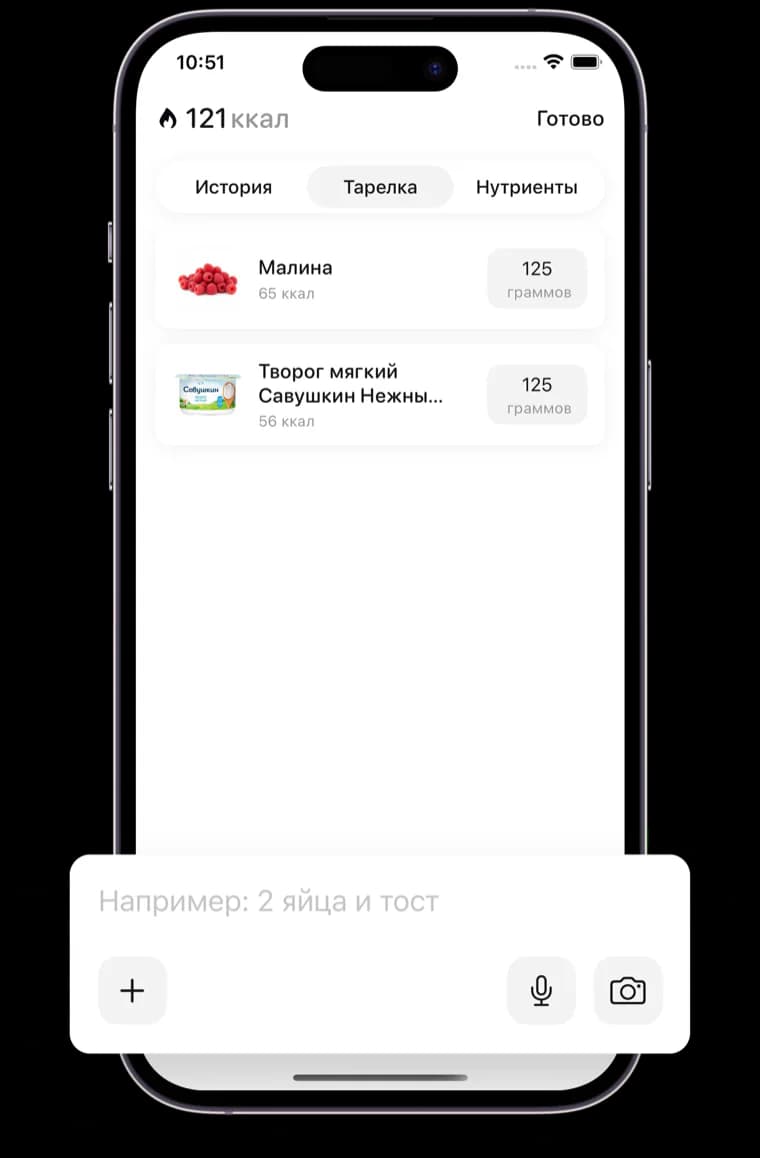
Photo instead of typing
A photo of the plate resolves into foods and grams, so logging survives past week one.
Analytics without manual reports
Weekly views of calories, macros and weight build themselves.
Targets that adapt
Their target follows measured energy expenditure, not a calculator formula.
Three steps to your first client
- 1
The client creates a link
In the app: Profile → Data sharing → Share.
- 2
You open the link
Sign in with Google or email — no app install needed.
- 3
The diary lands in your dashboard
They appear in your client list and stay up to date.
Want to see the dashboard?
Sign in, then ask a client to send you their sharing link.
Open coach dashboard